
Seneca County Multi-Day Arrest Log
The Seneca County Sheriff's multi-day tool is the ProPhoenix Inmate Locator. No weekly blotter exists. Instead, a reader sets a "Booking Date From" and a "Booking Date To" and runs the search. The jail application returns every booking it exposes inside that range. Citations, arrests without jail intake, and records pulled from public view sit outside those results. That scope is what makes the tool useful for catch-up work. A range can stretch across a full weekend without pretending the county publishes in cycles. Booking date simply means the date the jail recorded. It may differ from the actual arrest time. Releases can also change what stays visible. So a missing name never rules out an arrest.
Read Seneca County Arrest Reports
Start with a narrow range. Then confirm a possible match with more than one field. The locator builds no stable filtered URL. Bookmarks land back on the general search screen with the dates cleared. The official screen below shows the blank search controls themselves. No person or booking photo is rehosted here. Open the Seneca County locator to use the live booking-date interface.
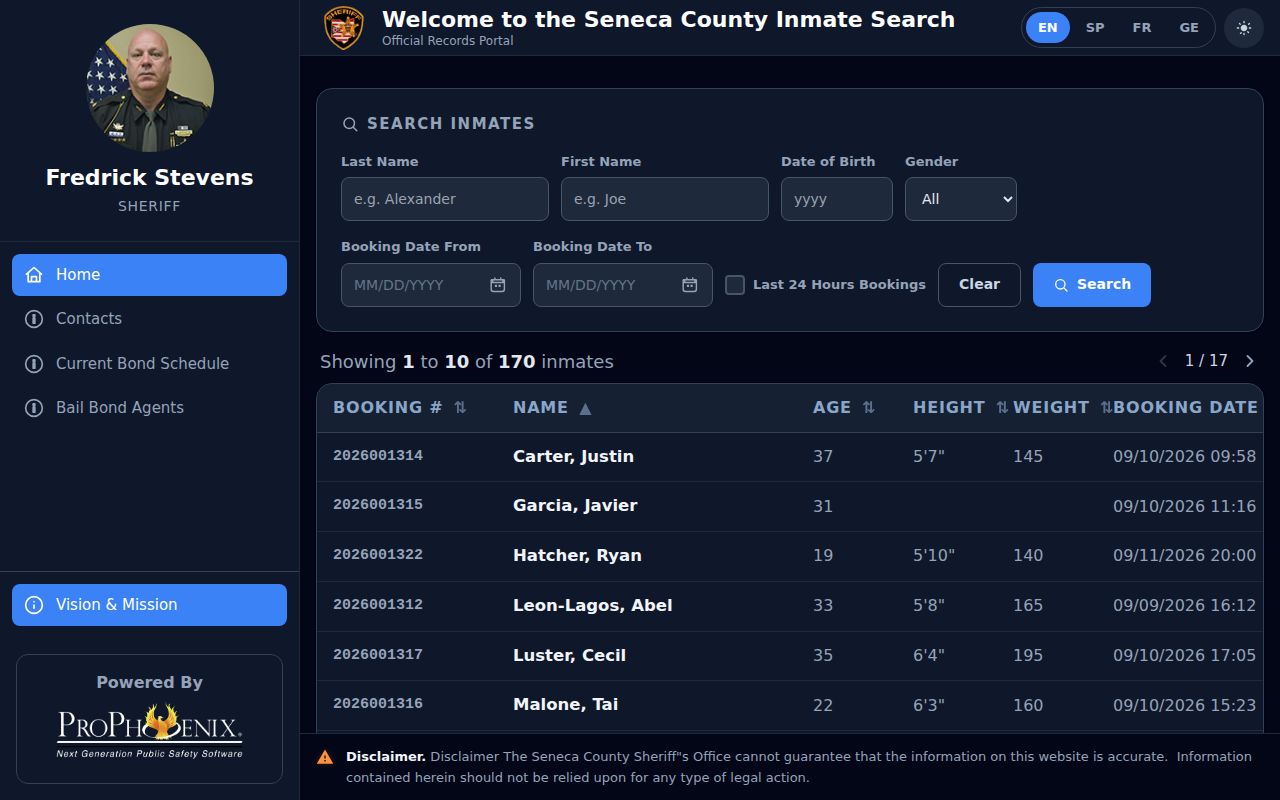
The displayed fields support name checks and date checks alike. Date-range controls remain the defining tool for a multi-day arrest report, though.
- Enter the first and last booking dates for the period being reviewed.
- Run the search without a name to inspect the available date-range results, or add a name to narrow a known-person check.
- Open a matching detail and compare the name, booking number, custody date, and case information.
- Read charge labels as booking charges. Use the court docket later to learn whether they changed.
- If the range is incomplete or too old, contact the Sheriff’s records division for the underlying record.
For the rolling same-day window, the separate Arrested Today view fits better. It is no substitute for this broader date-range search of Seneca County arrests.
Seneca Arrest Report Fields
A ProPhoenix detail page can carry many labels. No field appears on every result. The schema splits personal descriptors, custody facts, charges, court routing, and holds, which helps separate a booking record from a later case outcome.
| Field group | What the official record may show |
|---|---|
| Identity | Name, booking number, SPN, age, sex, race, and other descriptors |
| Booking and custody | Custody date, released date, cell location, and hold agency |
| Charge | Statute, description, severity, charge type, and charge-level bail |
| Court | Case number, court, and court date when available |
| Record image | A photo field tied to the individual booking detail |
Presence in the locator means the jail is displaying a booking or custody record. Bail is a release condition, not a sentence. A hold signals that another authority asked the jail to keep custody, and nothing more.
County Arrest News Is Selective
The Advertiser-Tribune Daily Log splits its items. Headings read "Tiffin reports" and "County reports." Those headings can add brief event context to Seneca County arrest research. Still, it is a news product, not the Sheriff's booking register. An event missing from the column may well have occurred. The Daily Log below is local reporting, not an official jail feed.
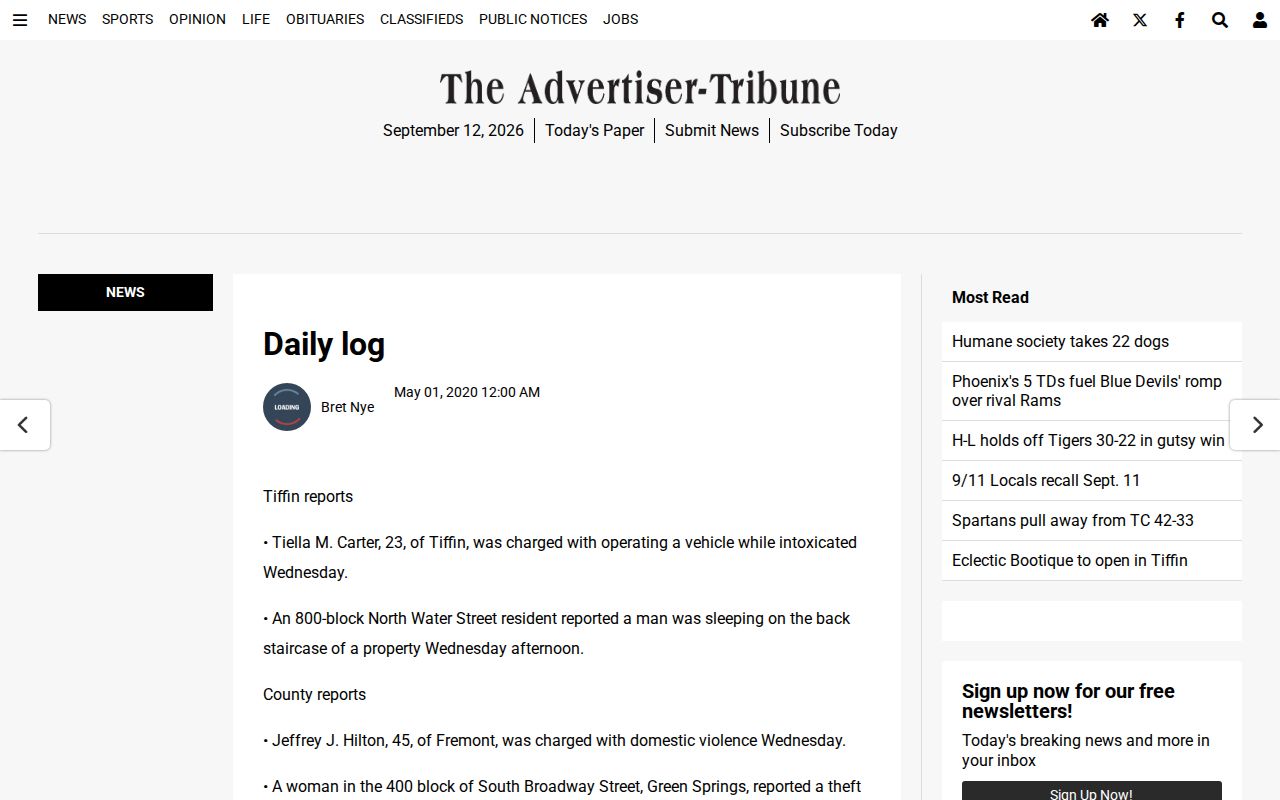
The Tiffin and county headings help a reader judge an item's scope before checking details against the Sheriff and the court. A news entry may summarize a call, an agency statement, or a charge. It may omit booking numbers, releases, or later amendments. The Sheriff locator answers the jail-status question. The Clerk's docket answers the court-history one.
Weekend Arrest Report Timing
The Sheriff's office follows no fixed weekend or holiday posting schedule. A Monday search cannot promise a complete weekend batch. The safer move is widening the booking-date range to cover each day. Then rerun the search later if an expected arrest is still processing. Vendor updates, corrections, and releases all reshape the results. Agency workflow does too. A weekend range may return more rows than a single-day check. Volume alone proves no crime trend. The annual report gives yearly totals, not weekend forecasts. Treat any date-range result as what ProPhoenix exposes at that moment. Read it as nothing more. Note: An empty date range is a search result, not proof that no Seneca County arrests occurred in that period.
Seneca Reports Since 2022
Since January 1, 2022, every jail record at Seneca County has run through the Pro-Phoenix Records Management System, according to the Sheriff's Records Division. That date matters. It draws a clean line for electronic files. Searches in the date-range screen work best for recent arrests, so don't count on older bookings appearing there. An arrest missing from the vendor view may simply predate the system.
Requesting a record takes specifics. Give the full name, date of birth, the booking number, and a rough arrest or booking date, plus the case number if you have it. Name what you want: the booking record, the booking photograph, the charge list, a release date, or an incident report. The office accepts requests by phone, fax, mail, email, or a walk-in visit. Statutory exemptions and redactions can still apply.
Keep the live roster and internal retention separate, too. An arrest record can sit in agency files long after it leaves public display. Third-party copies linger online the same way. Neither copy proves who is in custody right now.
App Alerts Are Not Arrest Reports
The Sheriff's official mobile app is its own channel. Its 2022 annual report lists Most Wanted items, crime reports, press releases, tips, alerts, and inmate links. None of that makes the app a booking log. Recent arrests in Seneca County still show up in the ProPhoenix locator. Wanted content serves a different purpose. The app's landing screen helps you spot that channel without confusing it with the arrest report itself.
App alerts can point you toward agency information, but treat each alert or wanted item by its own label and date. Seneca County publishes no standalone public active-warrant database. Bring any live safety concern straight to law enforcement. Never approach a person on a wanted notice.
Older Seneca Arrest Report Archives
Ohio local governments follow approved retention schedules for their records. A state sample schedule can shape a request. It can't prove Seneca County adopted every suggested period. The Ohio History Connection walks through the RC-1, RC-2, and RC-3 process. A draft sheriff schedule offers examples. These cover jail logs, incident records, warrants, and image files. The county's adopted schedule and its vendor image policy aren't laid out in public view.
Court records follow their own clock. The Clerk's online system covers cases from January 1, 1993 onward. Updates may lag by 24 hours or more. Older files may need a direct Clerk or courthouse inquiry. Retention, public display, and archival transfer are three different questions. A stored agency record can vanish from the locator. Routine Seneca booking photographs don't move to any public historical archive.
Read archive results as history only. Check current custody through the jail. The final legal outcome lives in the court record.